
1. What is public cloud?
Public cloud is a computing model that delivers resources over the internet on a shared infrastructure, where multiple organizations use the same underlying platform while their data and operating environments remain independently isolated.
In simpler terms, instead of building and operating their own physical servers, businesses rent computing resources from a cloud service provider and pay only for what they actually use. The provider takes full responsibility for the hardware infrastructure, maintenance, and system upgrades, allowing internal technical teams to focus on product development rather than infrastructure management.
Among cloud computing deployment models, public cloud is the most widely used because of its high flexibility and rapid deployment capability. Users access resources through a web interface or API, independent of geographic location or specific devices.
The core difference between public cloud and other models is that physical resources are shared among multiple customers (multi-tenancy), while each organization's data and workloads remain completely separated at the software and network level. This is also why cloud service providers invest heavily in segmentation security mechanisms to ensure privacy for each customer.

2. How does public cloud work?
Public cloud operates based on virtualization technology, which allows physical resources to be split into multiple independent computing environments and delivered to users over the internet through a self-service model.
2.1. Virtualized infrastructure and resource pooling
The foundation of public cloud is virtualization technology. Cloud service providers operate thousands of physical servers in data centers, then use virtualization software to split these resources into multiple independent virtual machines (VMs) or containers. Each customer is allocated a separate portion of resources, even though they run on the same physical hardware alongside many other organizations.
Resource pooling allows the system to flexibly allocate resources based on actual demand: when an application needs more CPU or RAM, the system automatically draws from the shared pool without manual intervention.
2.2. On-demand resource allocation
Public cloud provides resources on an on-demand basis, meaning businesses can create, scale, or release resources at any time through a web interface or API without contacting the provider. This mechanism is built on VPS and virtual machines, with an orchestration layer that automatically manages resource allocation based on each application's actual load.
This is also why public cloud can scale within minutes instead of the weeks required by traditional physical server models, helping technical teams respond promptly to traffic fluctuations without over-provisioning resources.
2.3. Common service models
Public cloud delivers resources through several service models. Understanding the differences between these layers helps businesses choose the right cloud service for their technical needs:
| Service layer | Description |
| IaaS (Infrastructure as a Service) | Rent raw infrastructure: virtual machines, storage, and networking. The business manages the OS and applications. |
| PaaS (Platform as a Service) | A ready-made development platform: runtime, database, middleware. Focus on writing code without worrying about infrastructure. |
| SaaS (Software as a Service) | Complete software running on the cloud, accessed via a browser, with no installation required. |
3. Benefits of public cloud for businesses

3.1. Saving on upfront infrastructure investment
One of the biggest benefits of public cloud is that it completely eliminates upfront hardware procurement costs. Businesses no longer need to invest in servers, networking equipment, cooling systems, or physical space to operate a data center. Instead, the entire cost shifts to flexible OPEX, paid based on actual usage. This is especially valuable for businesses facing infrastructure cost pressure while still needing to maintain growth momentum.
3.2. Flexible scaling up and down
Public cloud allows businesses to scale resources up or down within minutes, matching actual load instead of provisioning for worst-case scenarios. An e-commerce website can double its resources during sales season without buying additional servers, then scale back afterward to optimize costs. This model enables businesses to grow quickly without being constrained by physical hardware.
3.3. High availability and resilience
Public cloud providers invest in multi-data-center infrastructure with multi-layer redundancy mechanisms, ensuring stable uptime according to SLA commitments. Data is automatically replicated across multiple geographic regions, allowing businesses to recover quickly from hardware failures or local disasters. This is an advantage that most small and medium businesses cannot build on their own with a reasonable budget.
3.4. Faster deployment and innovation
With public cloud, technical teams can spin up new environments within minutes instead of the weeks required to order and set up physical servers. The ability to do rapid prototyping without the risk of fixed infrastructure costs helps businesses significantly shorten their time to market.
3.5. Regulatory compliance with domestically based cloud infrastructure
In particular, when a business chooses a public cloud service with infrastructure located in Vietnam, all data is stored and processed within national territory, meeting local data residency requirements. This factor is becoming increasingly important as Vietnam's legal framework on personal data protection and cybersecurity continues to develop. Businesses in finance, healthcare, education, and other highly regulated sectors significantly reduce their legal risk by choosing a public cloud provider with a data center located domestically, rather than relying on infrastructure abroad.
4. How does public cloud differ from private cloud and hybrid cloud?
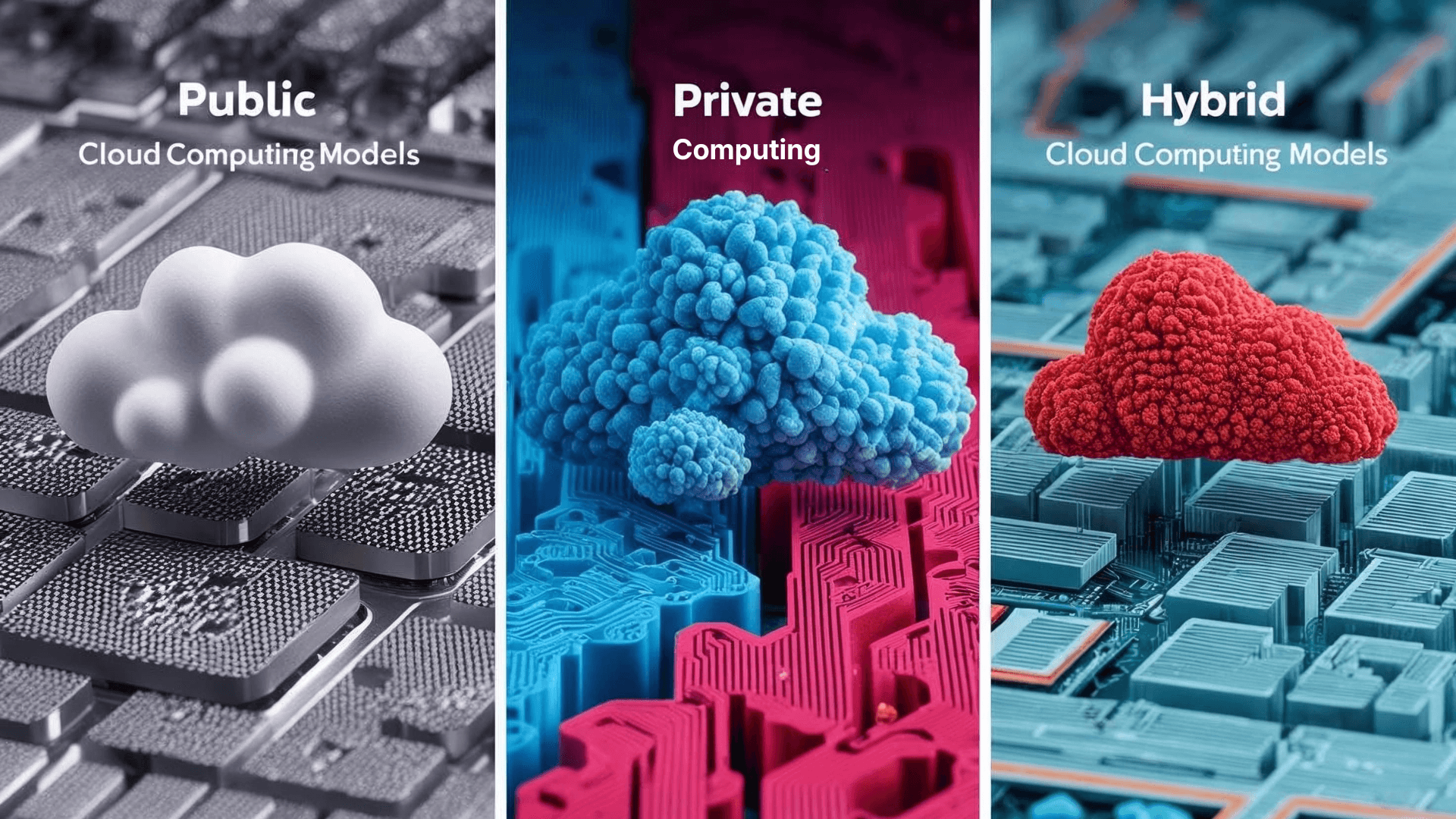
The three models, public cloud, private cloud, and hybrid cloud, have fundamentally different technical architectures and operating models. Understanding the differences across each technical criterion helps businesses make the right infrastructure choice from the start.
The table below compares the core technical characteristics of the three models:
| Technical criteria | Public cloud | Private cloud | Hybrid cloud |
| Infrastructure ownership | Owned and operated by the provider | Owned or leased by the business | Combination of both |
| Resource model | Shared (multi-tenant), isolated by software | Fully dedicated (single-tenant) | Separated by environment |
| Access | Via the public internet | Via internal network or private connection | Both, depending on workload |
| Scalability | Near unlimited, instant | Limited by invested hardware | Flexible via bursting to public cloud |
| Cost model | OPEX, pay per use | High upfront CAPEX, fixed OPEX | Mix of CAPEX and OPEX |
| Infrastructure control | Low, managed by the provider | High, full control | High for the private portion, low for the public portion |
| Network latency | Depends on internet connection | Low, direct internal connection | Varies by workload |
| Deployment time | Fast, minutes to hours | Slow, weeks to months | Medium, depends on the private portion |
5. What criteria should businesses use to choose a cloud deployment model?

The choice of infrastructure model depends on three main groups of criteria: budget and cost model, regulatory compliance requirements, and the capability of the internal technical team. Below is a practical framework for businesses:
5.1. Budget and cost model
Public cloud is suitable when a business prioritizes flexible OPEX, does not want to commit large upfront capital, and needs to adjust costs based on actual circumstances. Private cloud is more suitable when an organization already has physical infrastructure in place and needs to optimize existing assets in the long term. Hybrid cloud is a middle ground for businesses that want to control costs by workload group, keeping expensive core systems on private cloud while moving variable workloads to public cloud.
5.2. Legal compliance and data security
This is the most important criterion for businesses operating in finance, healthcare, and other sectors governed by Law No. 91/2025/QH15 on personal data protection or Law No. 60/2024/QH15 on data. When regulations require data to be stored within Vietnamese territory or prohibit processing on shared infrastructure, private cloud or a domestically based public cloud is the appropriate choice. Businesses without strict compliance constraints have more options and can prioritize public cloud to optimize cost and deployment speed.
5.3. Technical team capability
Public cloud suits small IT teams or those lacking infrastructure operations expertise, since the provider takes full responsibility for maintenance, upgrades, and hardware security. Private cloud requires a technical team capable of operating, monitoring, and resolving incidents in a self-managed infrastructure. Hybrid cloud demands the highest level of expertise, as the IT team must manage both environments simultaneously and ensure seamless connectivity between them.
6. Which businesses is public cloud suitable for?
After understanding the technical characteristics and decision criteria, this section focuses on the specific types of businesses that benefit most from public cloud, and the workload categories that are the best fit for this model.
6.1. Small and medium businesses looking to grow fast without large CAPEX
For SMEs, public cloud removes the upfront capital barrier that has traditionally been a major obstacle to building solid IT infrastructure. Instead of spending heavily on servers and setting up a data center, SMEs can start small and scale gradually in line with actual growth. IT operating costs become more predictable and controllable on a monthly basis.
6.2. Enterprises looking to optimize infrastructure costs and increase flexibility
For large organizations, public cloud is often applied under a cloud-first strategy for new workloads while keeping core systems on premises. Enterprises can run big data analytics systems, dev/test environments, and user-facing applications on public cloud to reduce the load on internal infrastructure. Cloud security is continually improving, giving enterprises more confidence when expanding workloads to public cloud.
6.3. Workloads best suited for public cloud
- Development and testing (dev/test) environments: quick to set up and tear down after use, with no wasted resources
- Web applications and cloud storage: easy to scale with user traffic, suitable for variable load
- Backup and disaster recovery: low-cost backup storage with fast recovery capability
- Big data analytics: processing large volumes of data in a short time, then releasing resources
- Applications with seasonal load fluctuations: increase resources during peak periods and reduce them afterward to optimize costs
7. VCLOUD - A public cloud solution for Vietnamese businesses
For businesses looking for a public cloud solution, VNETWORK offers VCLOUD, a cloud computing platform built on Tier III standard data center infrastructure, operated right here in Vietnam.
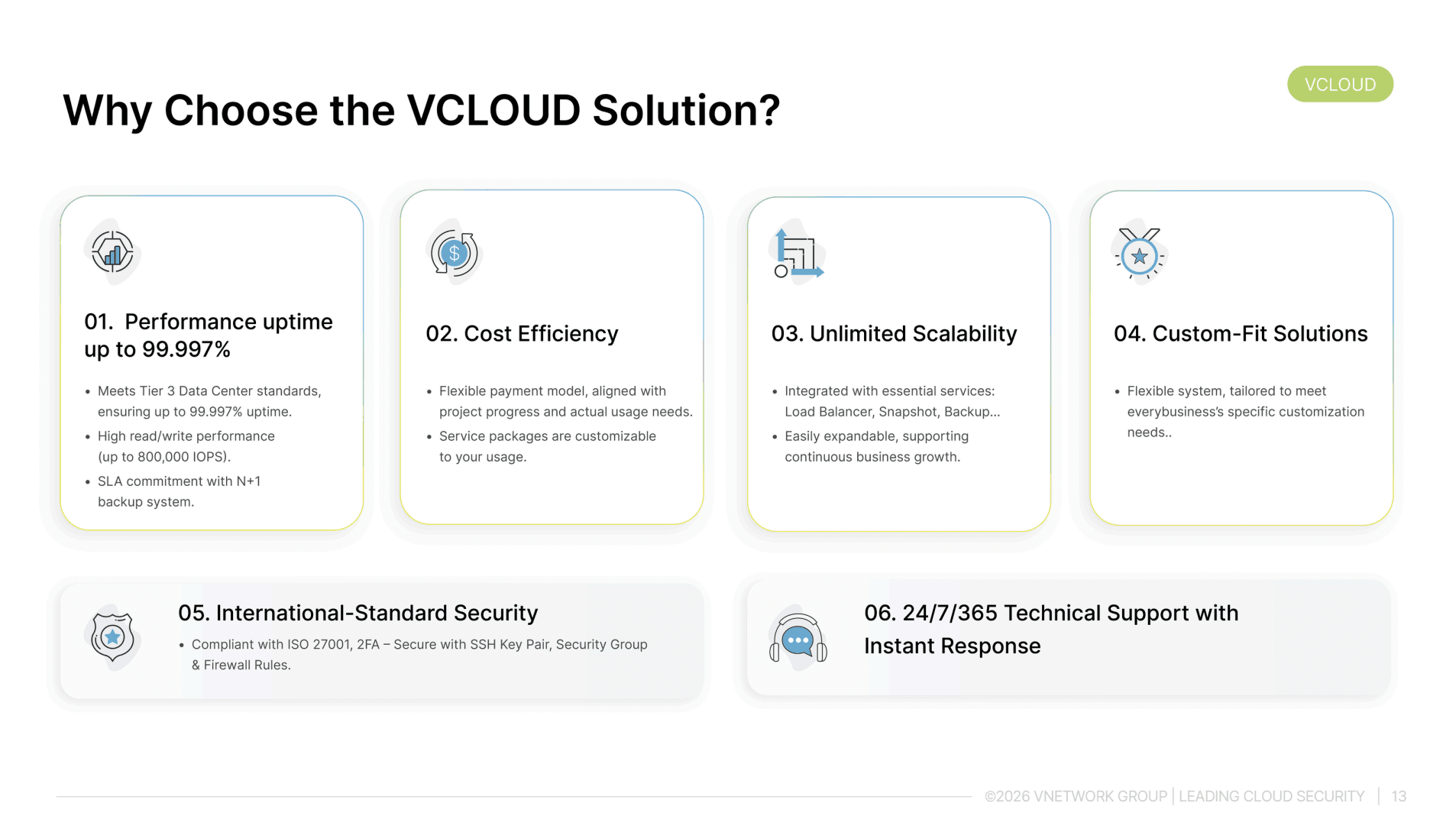
VCLOUD is designed to meet the real-world requirements of domestic businesses, from SMEs needing flexible infrastructure to enterprises needing to comply with data residency regulations. Key features include:
Key features of VCLOUD
VCLOUD is designed to comprehensively meet the digital infrastructure needs of businesses, with six core strengths:
- Performance up to 99.997%: Tier III standard data center infrastructure ensures 99.997% uptime and extremely high read/write speeds of 800,000 IOPS, suitable for systems requiring high continuity such as e-commerce, finance, and AI applications.
- Cost efficiency: A flexible payment model based on project progress and actual needs, with no fixed costs for unused resources. Packages are tailored to specific requirements, suitable for both SMEs and large enterprises undergoing digital transformation.
- Unlimited growth: Built-in essential services including Load Balancer, Snapshot, and Backup, plus unlimited resource scaling to support continuous business growth without changing the system architecture. Full support for Kubernetes and modern container deployment.
- Tailored to your needs: A flexible system that easily accommodates the specific customization requirements of each business, from hardware configuration to operating environment setup. Manage the entire infrastructure visually through a dashboard or API, with integrated budget alerts and real-time resource monitoring.
- Comprehensive security to international standards: Fully compliant with ISO 27001, with 2FA authentication, SSH key pairs, security groups, and firewall rules, ensuring enterprise data is protected across multiple independent layers. VCLOUD also integrates easily with additional advanced cloud security solutions from the VNETWORK ecosystem.
- 24/7/365 technical support with instant response: A team of experts provides continuous and prompt support through chat, hotline, and email, without relying on tickets or automated chatbots like many international platforms. This is a particularly important advantage for businesses without an in-house IT team.
By locating its infrastructure in Vietnam, VCLOUD helps businesses meet domestic data storage compliance requirements while reducing access latency compared to cloud services hosted abroad.
8. Conclusion
Public cloud is a suitable infrastructure choice for most businesses in a growth phase, especially when flexibility, deployment speed, and cost optimization are top priorities. For organizations with high compliance requirements or sensitive data, hybrid cloud or private cloud may be a more suitable approach. What matters most is choosing based on the nature of the workload and the long-term strategy, rather than following short-term trends.
FAQ - Frequently asked questions about public cloud
1. Is public cloud safe for business data?
Public cloud is safe for most business data when proper security mechanisms are applied. Cloud service providers invest heavily in infrastructure security, data encryption, and access control. However, under the shared responsibility model, businesses are still responsible for security at the application layer, account management, and user permissions. Particularly sensitive data subject to regulatory requirements should be evaluated separately before being moved to public cloud.
2. How is the cost of using public cloud calculated?
Public cloud costs are calculated based on actual usage, including compute resources (CPU, RAM), storage capacity, data transfer bandwidth, and additional services such as databases, load balancers, or backups. Businesses can choose a pay-as-you-go model for maximum flexibility, or commit to a long-term package (reserved instance) for preferential pricing. Most providers offer cost estimation tools before deployment.
3. Should small and medium businesses use public cloud?
SMEs are the businesses that benefit most from public cloud. This model removes the infrastructure investment barrier, allowing SMEs to access technology on par with large enterprises without needing a large IT team. Cloud computing helps SMEs focus their resources on product development and business growth rather than managing technical infrastructure.
4. How is public cloud different from traditional hosting?
Traditional hosting allocates fixed resources on a physical server, making it inflexible when scaling is needed and typically charging a fixed package fee. Hosting is suitable for small websites with stable traffic, but it shows its limitations when traffic spikes occur. Public cloud overcomes this with flexible virtualized resources, automatic scaling, and a pay-per-use model, making it suitable for applications with variable load or that require higher reliability.
5. Is hybrid cloud a combination of public and private cloud?
Yes. Hybrid cloud is a model that combines public cloud and private cloud (or on-premises infrastructure) into a unified environment, allowing data and applications to be shared between the two. Businesses can keep sensitive data on private cloud while running flexible workloads on public cloud, and can also burst resources to public cloud when private cloud reaches its limits. IaaS, PaaS, and SaaS can all be deployed in a hybrid cloud environment depending on specific needs.